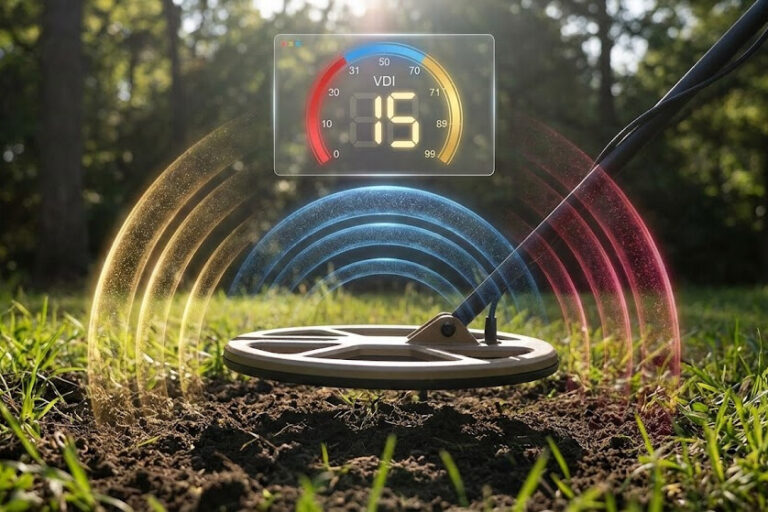
I almost walked past $800 worth of silver once. My detector chirped—just once—as I swung past a spot I’d already covered twice. Most beginners would’ve kept walking. Hell, I almost did. But something about that tone stopped me cold. It was soft, almost shy, but it had this bell-like quality that made my heart skip.
Three careful passes later, I had it locked. A repeatable, high-pitched signal that came through clear from every direction. Eight inches down sat a 1921 Morgan silver dollar. Next to it? Two Mercury dimes that hadn’t seen daylight since my grandparents were kids.
That moment changed everything. I stopped trusting the screen. Started trusting my ears.
Here’s the truth about metal detecting that nobody mentions upfront: your detector’s display lies to you constantly. Not on purpose, but depth messes with it. Mineralization messes with it. Even the angle of your target underground messes with those VDI numbers and target ID readings. Your ears though? They catch stuff the screen completely misses. How detector sounds cut off sharp versus fade away slow. How they repeat from different angles. Whether audio signals sound clean and musical or scratchy and broken.
Learning metal detector audio language beats looking at the display about 30% of the time. Especially on deep targets or when something’s hiding near trash.
This guide breaks down what metal detector tones mean. It’ll show you how to identify metal detector sounds when you’re actually out there digging. Understanding tone identification turns you from someone who digs everything and hopes for the best into someone who knows what they’re hearing. The difference? More treasure. Less trash. Way fewer bottle caps that make you wonder why you got out of bed.
- Understanding VDI Numbers and Metal Detector Audio Signal Guide
- High Tone vs Low Tone Metal Detecting: What Does a Silver Coin Sound Like?
- Pull Tab vs Gold Ring Tone: How to Read Metal Detector Signals
- How to Identify Iron Signals Metal Detecting and Metal Detector False Signals Explained
- Metal Detector Brands: Comparing Tone Systems and Target ID
- Best Discrimination Settings for Coins: Field Techniques That Work
- Learning Metal Detector Audio Language: Mastering Tone Identification
- References
Understanding VDI Numbers and Metal Detector Audio Signal Guide
Let’s talk about what actually happens when your detector beeps. Your search coil sends out an electromagnetic field into the ground. Think of it like invisible ripples spreading out. Most detectors operate between 3 kHz and 100 kHz.
When this field hits metal underground, it creates tiny electrical currents called eddy currents. Those currents make their own electromagnetic field, which your receiver coil picks up [2].
This metal detector audio signal guide starts with one key measurement: phase shift. That’s the time lag between what your detector sends out and what comes back. Silver creates huge phase shifts—close to 180 degrees. Iron barely moves the needle at 20-30 degrees.
Here’s something that blows minds about understanding VDI numbers on metal detectors: frequency changes everything. Same dime. Run it through an 18 kHz detector? VDI reads 91. Drop to 4 kHz? Now it shows 73 [3].
Metal Detector Pitch and Tone Guide: The Three Main Ranges
High-pitched tones (600-900+ Hz): Phase shifts above 160 degrees. Silver, copper, big coins.
Mid-pitched tones (300-600 Hz): Phase shifts between 80-160 degrees. Gold jewelry, pull tabs, aluminum.
Low-pitched tones (100-300 Hz): Phase shifts below 80 degrees. Iron, small foil, sometimes tiny gold pieces.
Here’s the tricky part. Conductivity times size equals your signal. A small gold ring can produce the exact same reading as medium aluminum scrap. Your detector can’t tell them apart.
High Tone vs Low Tone Metal Detecting: What Does a Silver Coin Sound Like?
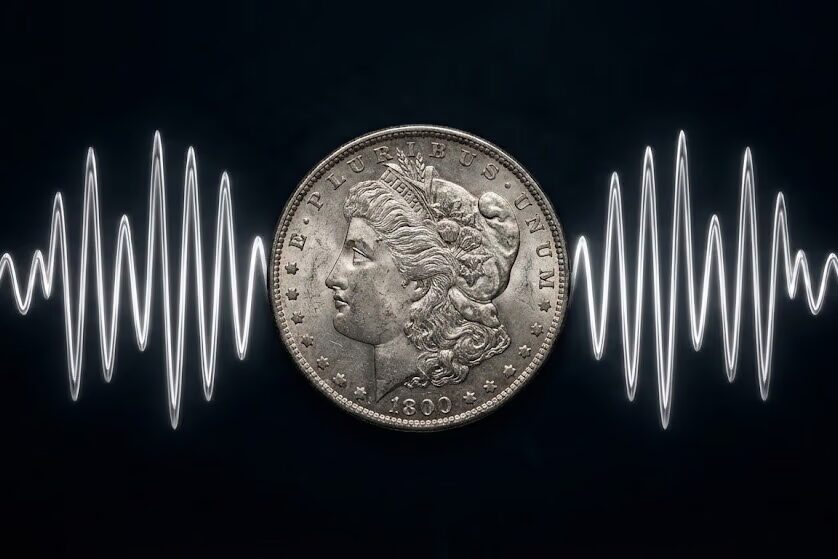
High tones get your blood pumping. Silver coins, copper pennies, clad coins, big jewelry—they all live in the VDI 80-99 range. Clear, high-pitched tones that stand out from everything else. Learning the difference between coin and trash tones starts here.
So what does a silver coin sound like on a metal detector? I call it the “perfect tone.” Sharp. Musical. Snaps on instantly, holds steady, cuts off clean. Morgan silver dollars show VDI 96-99. Mercury dimes hit VDI 79-83 [4]. Walking Liberty halves land around VDI 90-94.
Once you’ve heard silver enough times, you’ll recognize it instantly. It just sounds expensive.
Zinc Penny vs Copper Penny Tone: Understanding Metal Detector Beep Patterns
The zinc penny vs copper penny tone difference is worth knowing. Pre-1982 pennies are 95% copper. They show VDI 74-80 and ring beautifully. Modern zinc pennies? VDI 69-75. Flatter tone. Less exciting.
Clad coins hit VDI 81-92. Usually 1-3 points lower than silver. A clad quarter shows VDI 85-90. A silver Washington quarter reads VDI 88-89.
Here’s the test for any high-tone target: does it repeat? Genuine coins give you the same response from every direction you swing. The VDI stays locked. Tone quality stays consistent. Pinpointing shows a tight, focused signal.
If you’re not getting identical responses from at least four directions? Be suspicious. Good targets announce themselves clearly.
Pull Tab vs Gold Ring Tone: How to Read Metal Detector Signals
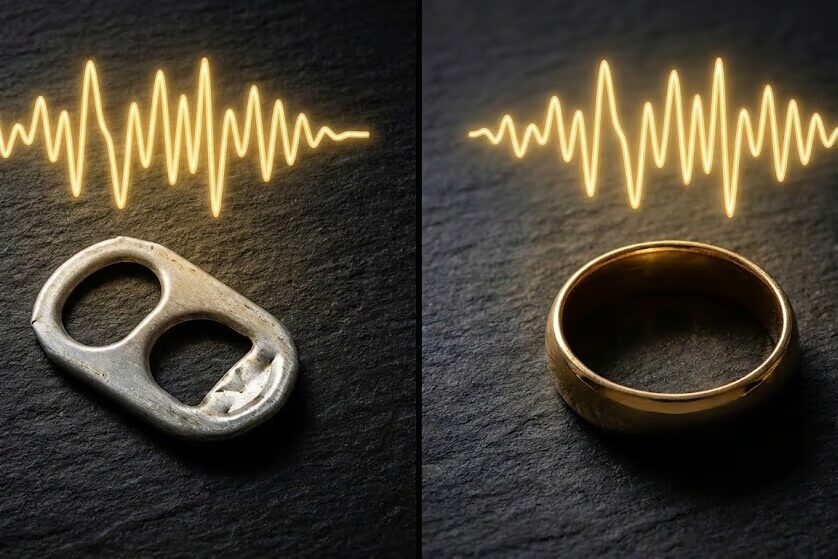
Welcome to the zone that’ll test your patience and your skills. Mid-range tones between VDI 40-70 hold equal amounts of treasure and trash. How to read metal detector signals in this range? More art than science, honestly. This is where you’ll spend most of your mental energy. You’ll dig more holes than you want to admit. And metal detector target ID accuracy gets seriously tested.
Understanding the Gold vs Aluminum Tone Metal Detector Problem
Nickels are the easy part. They produce solid, repeatable mid-tones at VDI 52-55. Buffalo nickels, Jefferson nickels, war nickels—all the same range. The signal quality acts like a coin should. Consistent. Stable. Predictable. No drama.
Gold jewelry though? That’s where it gets messy and expensive. Either in what you find or what you walk past.
A large 14K gold ring might read VDI 56-57. Produces a mellow, smooth mid-tone that sounds almost soft. But a small 14K ring? Anywhere from VDI 41-54 depending on its weight and what it’s made of. A 14K chain hits VDI 48-50. White gold reads lower than yellow because of nickel alloys that cut conductivity.
See the problem? Gold signals are all over the place. Size matters. Karat weight matters. What metals they mixed in matters.
Now here’s where the metal detecting gods laugh at us. Aluminum pull tabs read VDI 52-53 [1]. Exact same range as nickels and medium gold rings. They produce solid, repeatable signals that fool everyone. First-week beginners. Twenty-year veterans. Doesn’t matter.
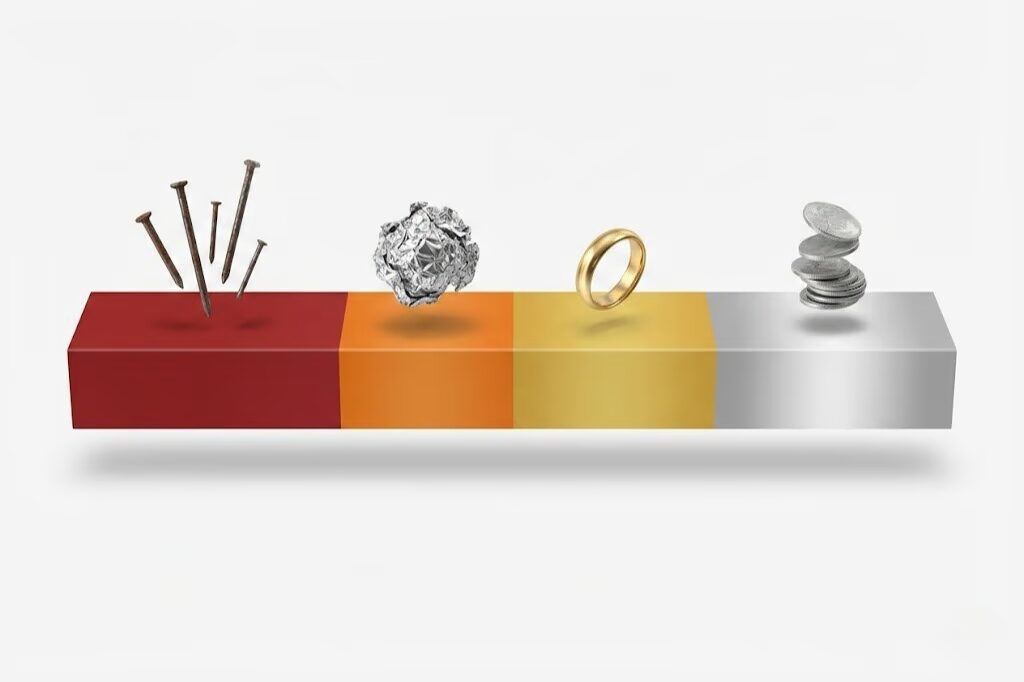
I watched a beach hunter post his count from one session on a forum. 93 pull tabs. Two gold rings. His conclusion? “If you want to find gold, you better prepare to dig a ton of pull tabs.”
That’s my philosophy now too.
Understanding Ferrous vs Non-Ferrous Tones
Small aluminum foil creates tones in the VDI 35-45 range. Overlaps with small gold jewelry and platinum rings. Bigger foil reads higher and louder. But it tends to sound scratchy and irregular compared to gold’s smooth, mellow tone. Still, the overlap is real. No metal detector tone discrimination settings will cleanly separate gold from aluminum without losing good targets.
Trust me. I’ve tried every combination.
Here’s the physics behind this gold vs aluminum tone metal detector nightmare: both metals are non-ferrous. Both have moderate conductivity. Both come in different sizes. When you multiply conductivity by volume and get matching phase responses, your detector literally cannot tell them apart. Understanding ferrous vs non-ferrous tones helps everywhere else. But this specific overlap? It’s challenging no matter what you do.
My approach in the mid-tone zone depends on where I’m hunting. Known good spots like old parks, swimming beaches, fairgrounds? I dig everything solid and repeatable. In trashy areas full of aluminum? I cherry-pick. Only dig targets showing consistent high-end readings over VDI 55. Look for that slightly softer, mellower sound that gold makes. It’s not perfect. But it improves my odds a lot.
How to Identify Iron Signals Metal Detecting and Metal Detector False Signals Explained
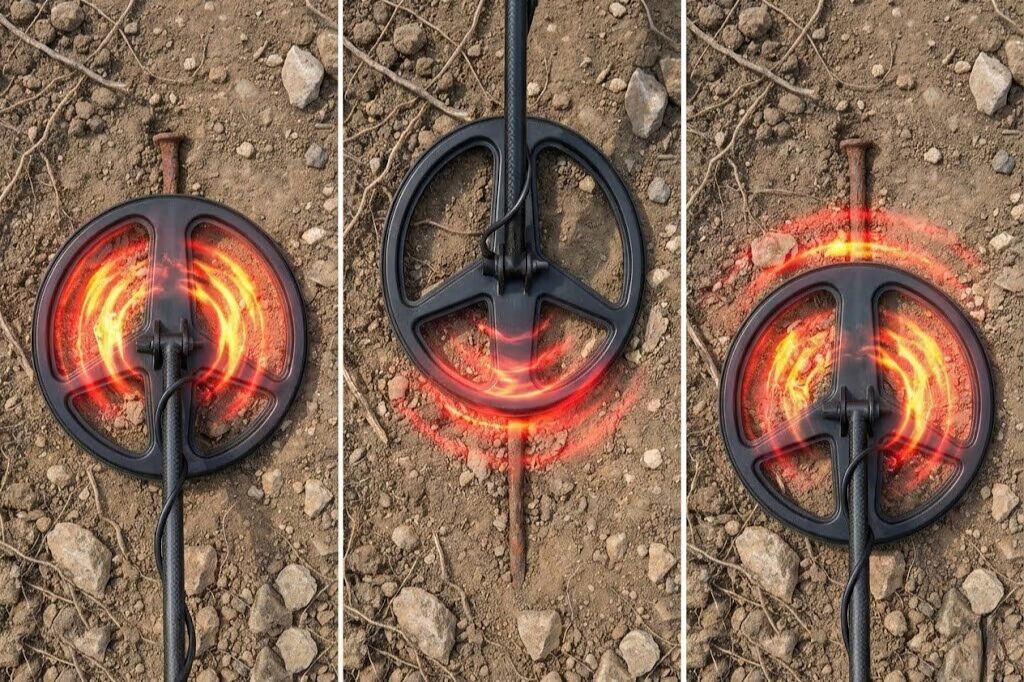
Low tones sound like grunts, buzzes, and growls. They come from targets in the VDI 0-25 range. Ninety-five percent of the time? Iron nails, screws, bottle caps. The trash that’s everywhere. But careful listening pays off. Not all low tones deserve to be ignored.
Iron makes these broken, choppy tones that change depending on which direction you swing from. The classic test is what I call the “front-back technique.” Here’s how it works: center your target under the coil. Note the tone. Then slide your coil forward so the target sits under just the front tip. Does the tone shift to a grunt? Now move it back so the target’s under the rear tip.
If you’re hearing high-to-low-to-high transitions as different parts of your coil pass over? It’s iron. Walk away. Save yourself the dig.
Understanding Metal Detector False Signals and Iron Wraparound
Large iron objects can mess with your detector though. They create false high readings—something called “iron wraparound.” These metal detector false signals explained: rusty cans can show VDI in the 80s. They generate such huge electromagnetic responses that they confuse the detector’s discrimination. The audio usually gives them away. Unstable. Jumping between tones. Just sounds off in a way that doesn’t match real high conductors.
Here’s what trips up beginners: tiny gold items can read in the VDI 30s. Even down in the 20s sometimes. Thin chains. Tiny earrings. Small pendants. They all produce low-conductivity readings that sound like foil or iron. This is exactly why beach hunters run minimal discrimination. They’d rather dig 50 pieces of foil than walk past a gold earring worth $200.
Crown bottle caps need their own warning label. They’re pressed steel, so they’re ferrous. But their round shape creates electromagnetic signatures that confuse detectors like nothing else. They make broken, inconsistent tones that change pitch during a single sweep. VDI numbers jump all over the place. On Minelab Equinox detectors, bottle caps often show VDI 15-17. That’s the same range as gold rings. Same as medieval silver coins.
You’ll dig a lot of bottle caps before you develop the ear to catch the subtle differences.
Metal Detector Brands: Comparing Tone Systems and Target ID
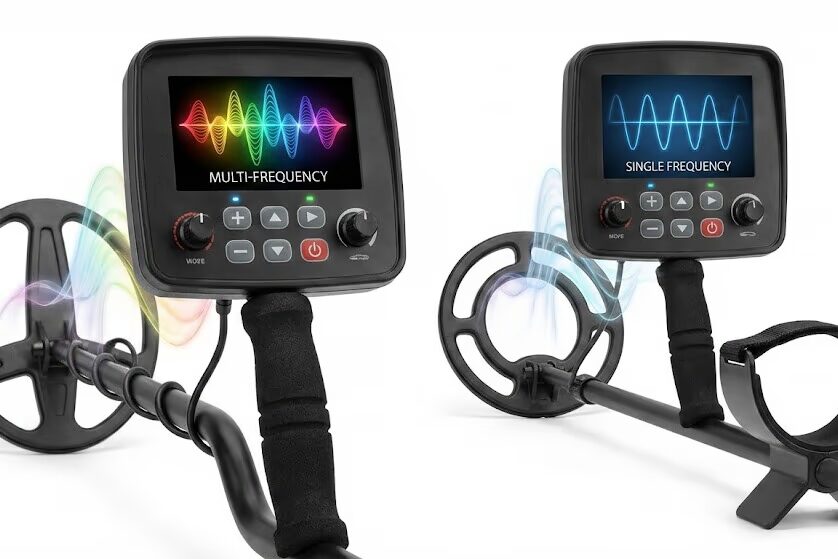
Different manufacturers handle tone systems completely differently. VDI 50 on a Garrett means something totally different than VDI 50 on a Minelab. Different scales. Different processing.
Minelab detectors like the Equinox 800 use Multi-IQ technology. Processes multiple frequencies at once. You can set 1 to 50 tone options. Works great in mineralized soil and salt conditions. Learning curve is steep though.
Garrett detectors like the AT Pro keep it simple. Three tones plus Iron Audio. High tones for coins over VDI 80. Mid tones for jewelry. Low grunts for iron. Single 15 kHz frequency gives great stability.
XP detectors like the Deus offer 2 to 5 tones or full pitch mode. Totally customizable. Wireless system is incredible. Fast recovery in trashy sites. But you’ll spend hours experimenting.
Nokta detectors like the Legend give you 2 to 60 tones. Affordable multi-frequency capability. Mid-range overlaps can be tricky when learning.
Multi-frequency machines like Minelab and Nokta excel in varied terrain. Single-frequency machines like Garrett offer better stability with electromagnetic interference. Neither approach is “better.” Just optimized differently.
Best Discrimination Settings for Coins: Field Techniques That Work
Theory is one thing. Actually doing it is different. When I hunt, I start the same way every time. Default settings. Sensitivity adjusted for the ground. Good headphones on—you’ll catch subtle stuff the built-in speaker masks.
For coin hunting in parks, I discriminate out obvious iron between VDI 0-20. But I leave mid-tones active [5]. These settings work after years of trying everything else. Yeah, more trash. But I won’t miss valuable targets hiding in that range.
Beach Hunting and Mineralized Soil Settings
Beach hunting is totally different. You need lower discrimination because gold jewelry reads anywhere from VDI 30-70. So beach hunting becomes a volume game. Cover ground quickly. Dig most solid repeatable signals in the mid-to-high range.
Mineralized soil will test your patience. Red clay, black sand, high-iron dirt—they all create problems. Cut your sensitivity to reduce metal detector false signals explained by electromagnetic interference from ground minerals. Adjust ground balance often.
One technique I swear by: occasionally hunt in all-metal mode with discrimination off. You’ll hear everything your detector sees. It’s humbling. Educational. Teaches you what your machine normally filters out.
I do this for 15-20 minutes when hunting new locations. Helps me understand the ground conditions and trash profile.
Learning Metal Detector Audio Language: Mastering Tone Identification

After hundreds of hours swinging detectors, here’s what I know for sure: VDI numbers help. But learning metal detector audio language is what separates people who find stuff from people who get frustrated and quit.
Those numbers degrade with depth. They shift with mineralization. Your ears process continuous data throughout every sweep. They catch tone quality and repeatability that the display can’t show.
No detector is perfect. Metal detector target ID accuracy changes with conditions. Even experts dig bottle caps sometimes. The goal isn’t perfection. It’s improving your odds through better tone identification.
Create a test garden if you can. Bury known targets at different depths. Practice by sound alone. Cover your display sometimes and hunt purely by ear. It forces you to develop your understanding of detector sounds and signal tones.
Join local clubs. Learn from people who’ve been at this longer. My best education came from hunting with a retired engineer. Guy would stop mid-swing and call out “zinc penny at four inches.” Then he’d dig and prove it. Every time.
Your detector’s trying to communicate through those beeps and chirps. Learn its language. Really learn it. You’ll start finding the good stuff while leaving the trash behind.
Get out there and start listening. The treasure’s waiting. 🎯
References
- Detector Warehouse – How to Identify and Interpret Metal Detector Signals: https://detectorwarehouse.com/blogs/news/how-to-identify-and-interpret-metal-detector-signals
- UK Metal Detectors – How Does a Metal Detector Discriminate: https://www.uk-metal-detectors.co.uk/how-does-a-metal-detector-discriminate-and-identify-metal-types-a-technical-explanation
- Metal Detecting World – XP Deus Coin VDI Readings: https://www.metaldetectingworld.com/xp_deus_coin_vdi_readings.shtml
- Focus Speed – Metal Detector VDI Comparison: https://focusspeed.com/metal-detector-vdi-rings-coins-legend-equinox-apex-at-pro/
- Garrett Metal Detectors – Understanding Metal Detector Discrimination: https://garrett.com/understanding-metal-detector-discrimination-how-to-filter-targets/

My name is Paul and I am the founder of Detector For Metal, a dedicated resource for metal detecting enthusiasts seeking to uncover historical treasures and connect with the past using the latest technology. As a stay-at-home dad and family man, I’ve found metal detecting to be the perfect hobby that combines family adventure with historical learnings for the whole family.
As a father, I’m deeply committed to passing on this hobby to the next generation of detectorists, starting with my own children. I share advice on everything from metal detecting with kids to exploring the top 10 metal detecting sites you never thought about. My methodical approach to the hobby goes beyond the thrill of discovery—it’s about creating family traditions while preserving history and sharing the stories of those who came before us.