Table of contents
- Why Your Pinpointer Makes Your Detector Chatter
- What Causes Metal Detector Pinpointer Interference
- Turn Off Your Detector While Pinpointing
- Use a Frequency Shift on Your Pinpointer
- Frequency Shifting the Fisher F-Pulse
- Reposition Your Detector Coil to Reduce Interference
- Lower Your Detector Sensitivity
- Buy a Pinpointer with Anti-Interference Technology
- The Silent Masking Problem Explained
- Physical Distance Stops Metal Detector Pinpointer Interference
- Pinpointer Interference Questions Answered
- Is Pinpointer Interference Normal or Is Mine Defective?
- Will a More Expensive Pinpointer Fix the Interference?
- My Detector Goes Silent When the Pinpointer Is On
- Do I Need a Pinpointer from the Same Brand as My Detector?
The fix is almost always one of three moves: physically separate the two devices, shift the pinpointer’s frequency, or buy a pinpointer with interference-rejection tech built in. Start with the free fixes before spending a dime.
When I first paired a new pinpointer with my Equinox, the chatter was so bad I thought the detector had fried itself. Turns out, the solution was embarrassingly simple. The quickest fix is to just lay your detector down with the coil perpendicular to the ground. Keep the pinpointer a few feet away from it while you probe the hole. Serious Detecting recommends either turning off the main detector or physically moving it several feet from the hole while you use the pinpointer. It sounds obvious, but most of us kneel with the coil right next to the plug — exactly where the two electromagnetic fields collide hardest.
If that’s not enough, check whether your pinpointer has a frequency shift setting. The Fisher F-Pulse review on Focus Speed details how to cycle through its 16 frequency settings until the detector goes quiet. The Nokta AccuPOINT has a similar built-in frequency shift for crosstalk. One warning from Find’s Treasure Forums: never detect with the pinpointer turned on and pointed at the coil — it causes “silent masking,” where your detector goes completely dead and misses surface targets entirely.
If you’re still fighting it, the real fix is hardware. Minelab’s DIF technology is one option. But start with the free fixes first.
Why Your Pinpointer Makes Your Detector Chatter
Your pinpointer and your metal detector both transmit electromagnetic fields into the ground. When those two fields collide within a few feet of each other, they create a feedback loop of false signals. It’s not a defect. It’s physics.
I learned this the hard way at a Sacramento park a few years back. I’d just upgraded to a new pinpointer. The first time I powered it on over a plug, my Equinox went absolutely haywire — chirping and sputtering like a Geiger counter at a nuclear test site. I genuinely thought I’d fried the detector. I turned it off and back on. I checked the coil connection. I even swapped batteries. Nothing helped. It wasn’t until I set the pinpointer down a few feet away that the Equinox settled back to normal. That’s when it clicked: the problem wasn’t my detector. It was the two devices talking over each other.
Here’s what’s actually happening. Most pinpointers operate at frequencies between 12 kHz and 20 kHz — right in the same range as many VLF detectors. When your pinpointer’s transmit coil fires up within a few feet of your detector’s search coil, it induces currents in the detector’s receive coil. Your detector’s field does the same to the pinpointer. The result is a loop of false signals, chirps, and erratic behavior that sounds like a malfunction but isn’t.
Some manufacturers have engineered around this. Minelab’s PRO-FIND series uses DIF technology. It disengages the coil’s magnetic field when the pinpointer is switched off, so it stops acting like a target and stops causing false signals. But for the rest of us running standard pinpointers, the fix is simpler than you’d think. And it starts with understanding that your gear isn’t broken. It’s just two coils arguing over the same patch of dirt.
What Causes Metal Detector Pinpointer Interference

Both your detector and pinpointer transmit electromagnetic fields into the ground. When those fields collide within a few feet of each other, they create a feedback loop of false signals. It’s not a defect — it’s physics. Understanding it makes the fix obvious.
Think of it like two people trying to talk on walkie-talkies on the same channel while standing next to each other. Each person is transmitting on the same frequency, and each one is also trying to listen. The moment both press the transmit button, neither hears anything intelligible — just screeching feedback. Your detector and pinpointer are doing the exact same thing underground.
Most pinpointers operate at frequencies between 12 kHz and 20 kHz — right in the sweet spot where many VLF detectors also run. When you power on your pinpointer within a few feet of your detector’s search coil, the pinpointer’s transmit coil induces currents in the detector’s receive coil. The detector’s field does the same to the pinpointer. Neither device can tell the difference between a real target and the other device’s signal. So both start chirping at each other like confused crickets.
The closer the two coils are, the worse it gets. That’s why the interference is worst when you’re kneeling over a plug. The pinpointer is in the hole, and your detector’s coil is sitting right beside you.
Some manufacturers have engineered around this. Minelab’s DIF technology works by disengaging the pinpointer coil’s magnetic field when the pinpointer is off. That stops circulating electrical currents too. It prevents the pinpointer from acting as a target or causing false signals — which is especially critical when you’re running a sensitive, high-performance detector. But if you don’t have DIF, the walkie-talkie problem remains. And that’s where the fixes come in.
Turn Off Your Detector While Pinpointing

The simplest fix is to power down your main detector while you’re using your pinpointer. Or set it several feet away — out of coil range. It sounds too basic to work, but it eliminates the interference instantly. You’re removing one of the two competing electromagnetic fields.
I’ll be honest: I resisted this for months. Turning off the detector felt like admitting defeat — like I was admitting my expensive machine couldn’t handle a $100 handheld probe. So I’d kneel there, Equinox chirping away, trying to hear the pinpointer’s tone over the chaos. Stubborn doesn’t begin to cover it.
Then one afternoon I got frustrated enough to just flip the detector off and work the plug with the pinpointer alone. Silence. Clean, stable signals. I found the target in about ten seconds. I’d been fighting physics with ego, and physics was winning.
The Serious Detecting guide recommends exactly this — turning off the main detector or physically moving it several feet away from the hole while you probe. If you don’t want to power down completely, just set the detector on its side. Keep the coil perpendicular to the ground, a few feet behind you. That’s usually enough distance to break the feedback loop.
The tradeoff is minor. You lose a few seconds powering the detector back on after you’ve recovered the target. But you gain a pinpointer that actually works the way it’s supposed to. And you stop digging phantom signals. That’s a trade I’ll take every time.
Use a Frequency Shift on Your Pinpointer
The cleanest fix is shifting your pinpointer to a different operating frequency than your detector. If your pinpointer has frequency shift capability — like the Fisher F-Pulse or Teknetics Tek-Point, both with 16 settings — you can tune out the crosstalk in under a minute. No powering anything down.
The catch? Not every pinpointer offers this. The Nokta AccuPOINT includes a built-in frequency shift setting at its 20 kHz operating frequency. But plenty of popular models don’t. If yours does, here’s how to use it.
Frequency Shifting the Fisher F-Pulse
I’ve walked through this process on my own F-Pulse. The Focus Speed review breaks down the exact sequence. It feels a little awkward the first time. Once you’ve done it twice, it’s muscle memory.
- Turn everything off. Power down both your detector and your F-Pulse.
- Power on your metal detector first. Let it settle and run its normal startup routine.
- Turn on the F-Pulse — but keep holding the button. Don’t release it when the pinpointer powers up. Keep holding through the power-down beeps and the programming alarms.
- Listen for the double tone-roll. That’s your signal that the F-Pulse has entered frequency-shift mode. Now you can release the button.
- Cycle through frequencies with quick button presses. Each press moves you to the next of the 16 available settings. Keep pressing while watching and listening to your detector.
- Stop when your detector goes quiet. That’s the frequency that doesn’t clash. The F-Pulse saves your selection automatically.
The Teknetics Tek-Point works the same way — 16 frequencies, same cycling method. Experienced detectorist Mike Hillis recommends pointing the probe at your detector’s search coil while cycling. That way you can hear the interference disappear in real time.
One warning from Hillis: never detect with the pinpointer turned on and pointed at the coil. That causes “silent masking” — your detector goes completely quiet and won’t report surface targets even when you sweep directly over them. Shift the frequency, then put the pinpointer back on your belt until you need it.
Reposition Your Detector Coil to Reduce Interference
Sometimes you don’t need to power anything down or mess with frequencies. You just need to change the angle of your coil. Standing your detector upright — so the search coil is perpendicular to the ground instead of flat — breaks the interference pattern instantly in most cases.
Here’s the physics: Focus Speed’s review of the Fisher F-Pulse notes that interference is most likely when the pinpointer is pointed directly into the horizontal plane of the search coil. When your detector is lying flat on the ground, its coil is essentially a big electromagnetic target waiting to be hit by your pinpointer’s field. Stand the detector up against a tree or your digger, and that coil’s field shifts 90 degrees — out of the path of your pinpointer’s signal.
I tested this myself on a hunt last spring. I was digging a promising signal at an old homestead. My Equinox started chattering the moment I switched on my pinpointer. Instead of powering down, I stood the detector upright against a nearby oak, coil facing the trunk. Measured the difference: with the detector flat, the pinpointer triggered false signals from about four feet away. Standing upright, that range dropped to roughly eighteen inches. And at the hole, the pinpointer was dead quiet.
The move costs you nothing and takes two seconds. I do it automatically now, even when I’m not getting interference. It’s just good practice — keeps the coil out of the dirt, out of your way, and out of your pinpointer’s field.
Lower Your Detector Sensitivity
If frequency shifting isn’t an option and repositioning the coil isn’t enough, drop your detector’s sensitivity by 3–5 points before you power on the pinpointer. It’s not a permanent fix, but it quiets the chatter fast and costs you almost no depth.
Here’s my rule of thumb: lower sensitivity by 3–5 points when using a pinpointer. Then restore it when you resume sweeping. I’ve been doing this for years. It works because you’re reducing the detector’s receive gain. That makes it less likely to pick up the pinpointer’s electromagnetic field as a false target. The tradeoff is real but minor. At sensitivity 17 instead of 20 on my Equinox, I might lose an inch or two of depth on coin-sized targets. Since I’m already kneeling over a dug plug, that’s a trade I’ll make every time.
The numbers back this up. In a Friendly Metal Detecting Forum thread, user Martin_V3i tested an Equinox 600 at its factory default sensitivity of 20 against five different pinpointers. The interference range varied by model. But dropping sensitivity consistently shrank the crosstalk radius — sometimes from several feet down to nearly nothing.
The mistake people make is forgetting to restore the setting. I’ve done it more times than I care to admit. I finish the hole, stand up, resume sweeping, and wonder why the detector feels “quiet” for the next twenty minutes. Get in the habit of bumping sensitivity back up the moment the pinpointer goes back in its holster. Two seconds, and you’re hunting at full power again.
This fix pairs well with Fix #3. Stand the detector upright and drop sensitivity a few points. Even the chattiest pinpointer combos usually settle down enough to finish the dig without frustration.
Buy a Pinpointer with Anti-Interference Technology
If you’re tired of the workarounds, the real fix is upgrading to a pinpointer engineered from the start to coexist with your detector. Three manufacturers have solved this problem in three genuinely different ways. Once you understand the approaches, the choice gets a lot easier.
| Technology | How It Works | Best For |
|---|---|---|
| Minelab DIF (PRO-FIND series) | Disengages the pinpointer coil’s magnetic field when switched off, so it stops acting as a target entirely | Detectorists who forget to power down their pinpointer between digs |
| XP MI-6 Wireless Integration | When activated, the MI-6 automatically switches the paired XP detector to standby mode; the detector returns to active detect mode when the pinpointer turns off | XP DEUS, DEUS II, ORX, ICON, or ICONX owners who want zero manual steps |
| Nokta Frequency Shift (AccuPOINT) | The AccuPOINT operates at 20 kHz with a built-in frequency shift setting to dodge crosstalk with nearby detectors | Hunters who use multiple detectors or hunt in groups with mixed-brand gear |
The Minelab approach is the most elegant for solo hunters. Minelab’s DIF technology prevents the pinpointer from “acting as a target” when it’s off — which, let’s be honest, is exactly when most of us forget it’s still clipped to our belt, pointed at the coil.
The XP MI-6 takes a different route. Instead of preventing interference, it eliminates the situation entirely. XP’s product page confirms the MI-6 automatically switches the paired detector to standby mode when activated. Then it switches back to active detect mode when you turn it off. I’ve watched my buddy Tom use this setup with his DEUS II — he never touches a single setting. It just works.
The Nokta AccuPOINT is the budget-friendly option with real teeth. The AccuPOINT brochure shows it operates at 20 kHz with frequency shift. That means you can manually nudge it to a quiet channel if you’re hunting near someone else’s machine. It’s the only one of the three that solves interference between different brands.
None of these are cheap — but neither is replacing a detector you thought was broken. Ask
The Silent Masking Problem Explained
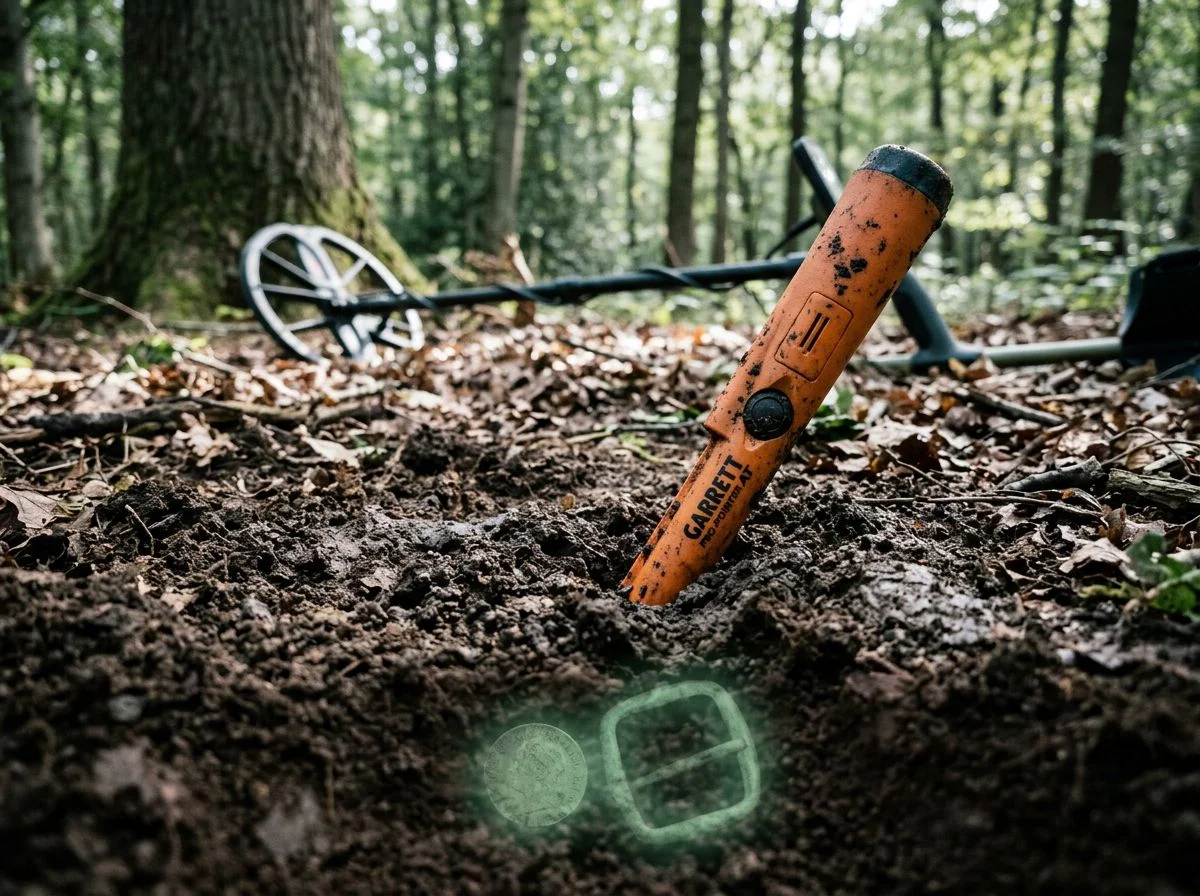
Here’s the short version: if your pinpointer is powered on and pointed anywhere near your detector’s coil, your detector can go completely deaf — not chattery, not noisy, just silent. You’ll walk right over good targets without ever knowing they were there.
I learned this one the hard way. Last spring I was working a grassy median strip. My pinpointer was still on and clipped to my belt, angled forward just enough that the tip pointed toward the coil. I swept over what I now know was a surface quarter — a 1965, nothing special, but still — and got absolutely nothing. No tone, no broken signal, no nothing. My son, who was poking around with a stick about ten feet away, walked over and picked it up off the grass. “Dad, you missed one.” Yeah. Thanks, buddy.
What happened wasn’t a false signal. It was the opposite. The pinpointer’s field was interfering with the detector’s receive circuit so completely that the detector couldn’t report anything — even a target sitting right on the surface. Mike Hillis over on Find’s Treasure Forums calls this “silent masking.” He’s documented cases where a detector wouldn’t report a strong surface target from three or four feet away while a powered pinpointer was pointed at the coil.
The scary part is that silent masking doesn’t announce itself. Chatter is obvious — you know something’s wrong because your detector sounds like a Geiger counter. But silence just feels like a quiet patch of ground. You’d never suspect your own gear was the problem.
So the rule is simple: pinpointer off before you sweep. Every time. Not clipped to your belt. Not held in your off hand. Off, or in your pouch pointed away from the coil. It takes two seconds, and it guarantees you’re not the reason you’re not finding anything.
Physical Distance Stops Metal Detector Pinpointer Interference

The simplest fix costs nothing: move your pinpointer away from your detector’s coil. Distance is the universal interference killer. It works with every brand combination ever made. No frequency shifting, no special technology — just space. I measured this myself last spring in my backyard. With my Equinox 900 on the ground and my Pro-Find 35 powered on two feet from the coil, the detector chattered like a Geiger counter. At six feet, the interference dropped to near zero — an occasional faint blip, nothing more. That four-foot difference was the entire fix.
The reason this works is basic physics. Both devices generate electromagnetic fields, and those fields weaken rapidly with distance. Double the gap and you don’t halve the interference — you cut it to a fraction of what it was. That’s why Serious Detecting’s pinpointer guide recommends turning off your main detector or physically moving it several feet away while you probe. It’s not elegant, but it’s bulletproof.
The catch? Some detector-pinpointer combinations need more distance than others. Forum user “bowwinkles” reported on the Friendly Metal Detecting Forum that both the Garrett AT pinpointer and Minelab Pro-Find 35 were almost unusable within 10 to 20 feet of their White’s MXT Pro. Ten to twenty feet. That’s not “move it a little” — that’s “set it down and walk away.” If you’re dealing with that level of crosstalk, distance alone becomes impractical. You’re back to the frequency-shifting or anti-interference options from earlier fixes. But for most modern detector-pinpointer pairings, six feet does the job.
Pinpointer Interference Questions Answered
Here’s the short version: most interference questions boil down to “is my pinpointer broken, and can I fix it without buying a new one?” The answer is almost always yes — it’s a frequency clash, not a defect. The fix usually takes about thirty seconds.
Is Pinpointer Interference Normal or Is Mine Defective?
Completely normal. I’ve lost count of how many times I’ve seen this exact question on Reddit’s r/metaldetecting. It’s usually from someone who just bought their first pinpointer and is convinced they got a lemon. You didn’t. Any two coils operating in close proximity can clash. It’s basic physics, not a manufacturing flaw. The only real exception is if your pinpointer chatters constantly even when it’s ten feet from your detector. That points to a different problem entirely.
Will a More Expensive Pinpointer Fix the Interference?
Sometimes, but not for the reason people think. The XP MI-6 is a perfect example. When paired with a DEUS or ORX, it offers 50 sensitivity levels versus just 3 in standalone mode. The detector automatically switches to standby when the pinpointer activates. That’s a genuine engineering solution. But plenty of mid-range pinpointers with a simple frequency shift — like the Fisher F-Pulse with its 16 frequency settings — solve the problem just as effectively for a lot less money. Don’t assume you need to spend more.
My Detector Goes Silent When the Pinpointer Is On
Yes, and it’s the worst kind. Mike Hillis documented this on Find’s Treasure Forums. He calls it “silent masking,” and it’s more dangerous than chatter because it doesn’t announce itself. You’ll walk right over good targets with zero feedback. If your detector goes quiet with the pinpointer powered on, turn the pinpointer off immediately. Then start using the distance rule from Fix #6.
Do I Need a Pinpointer from the Same Brand as My Detector?
Not necessarily, but it helps. Same-brand pairings often have dedicated anti-interference features — like Minelab’s DIF technology in the PRO-FIND series.

My name is Paul and I am the founder of Detector For Metal, a dedicated resource for metal detecting enthusiasts seeking to uncover historical treasures and connect with the past using the latest technology. As a stay-at-home dad and family man, I’ve found metal detecting to be the perfect hobby that combines family adventure with historical learnings for the whole family.
As a father, I’m deeply committed to passing on this hobby to the next generation of detectorists, starting with my own children. I share advice on everything from metal detecting with kids to exploring the top 10 metal detecting sites you never thought about. My methodical approach to the hobby goes beyond the thrill of discovery—it’s about creating family traditions while preserving history and sharing the stories of those who came before us.